The WordPress platform offers a wide range of tools for maximizing landing page conversion rates. With more than 55,000 plugins available, you have practically limitless possibilities at your disposal.
But having so many choices can make it hard to figure out exactly what works and what doesn’t. Your landing pages serve a single, well-defined goal – convincing visitors to convert – and you don’t need thousands of plugins to do that.
In fact, weighing down your landing page with extra plugins and features can hurt more than it helps. Every plugin comes with its own PHP, JavaScript, and other files that will impact your web page’s load speed. A one-second delay in page load speed can drag down your conversion rate by nearly 5%.
Today, creating a high-converting WordPress landing page means optimizing your plugins for efficiency and lightweight performance. Let’s cover some of the ways using the right plugins will make a major difference in landing page success.

Use a fast, intuitive landing page builder
The first tool you should look at is the one you use to build individual web pages. Building a single web page should not take days of work or have a steep learning curve. It doesn’t even have to involve writing code.
An efficient landing page builder should let you drag-and-drop widgets and tools directly onto your web page. It should provide meaningful configuration options without weighing you down with tons of complicated options. When it comes to making a great landing page, there is no need to reinvent the wheel.
A highly optimized landing page builder will include many of the lead generation tools you need to guarantee success. Importantly, it will combine these features in a single, easy-to-use package so you don’t have to weigh down your website with multiple single-purpose plugins. The end result is a faster, more efficient user experience and better web page performance.
Optimize call-to-action placement for maximum impact
Conversion rate optimization often centers around testing small details about how web pages attract and capture leads. Your calls-to-action (CTAs) have an important role to play here because they are the final nudge that turns a web page visitor into a qualified lead.
Minor changes like clearing away clutter around your CTA buttons or changing the color of CTA text can result in noticeable improvements to your conversion rate. When added together, these improvements can produce significant results – especially as traffic grows and profitability increases.
Unsurprisingly, there are hundreds of CTA plugins available on WordPress. However, your highly optimized landing page builder should include CTA-specific features too. If you can make and test changes to your web page CTAs without weighing down your website with a purpose-built plugin, you should.
Use popups that don’t disrupt the user experience

Popups don’t have to annoy users. When used correctly, they actually enhance the user experience by drawing attention to valuable content at the perfect moment.
Making popups work for you requires great timing and clever configuration. You need to be able to categorize landing page visitors according to their behaviors, then display popups that address their unique concerns.
For example, you can use popups to show current promotions and sales to users right after they finished watching a landing page video. You can program popups to wait 30 seconds before triggering, or to trigger only after users scroll to the bottom of your page.
These kinds of strategies can transform your landing page into an interactive conversion tool. When web page visitors take certain actions, you can respond with dynamic content suited directly to their needs.
Optimize for mobile
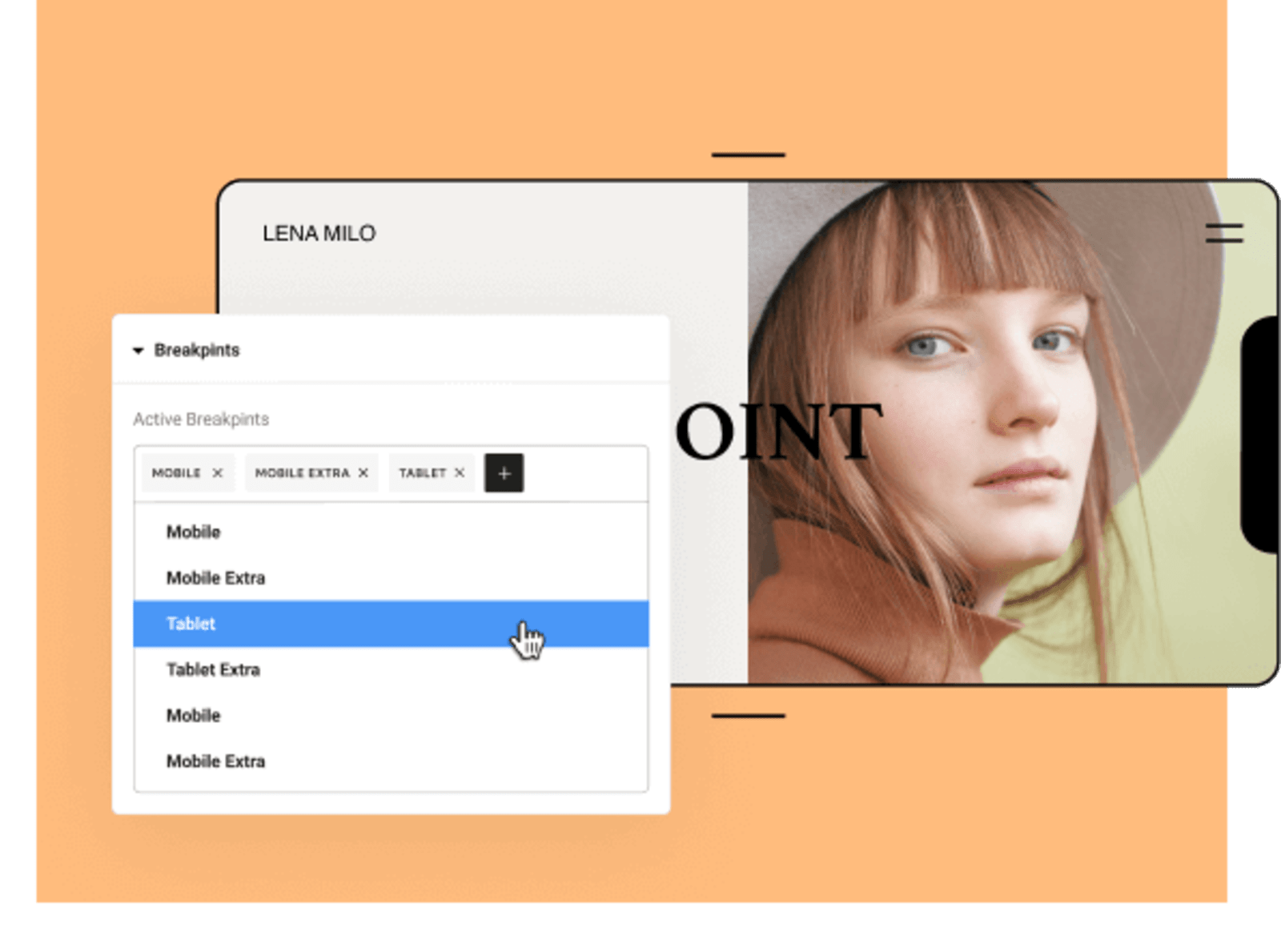
Mobile optimization is a must-have for any landing page converting today. Only 35% of your website visitors see the desktop version of your website. If you aren’t successfully engaging mobile users, you may be losing almost two-thirds of your business.
There are numerous mobile optimization suites and plugins available on WordPress, but this is another area where your fully featured landing page builder can step in. Ideally, you shouldn’t have to build your landing page, check it separately with a third-party plugin, or a Zapier WooCommerce integration, and then go back to your builder to make changes.
A better solution would be to deploy a web page builder that can immediately show you how your landing page looks on a variety of mobile devices. This way, you can save time and energy building landing pages that convert without having to constantly switch back and forth.
Mobile optimization is about more than the way you display content, though. It’s also impacted by the way your website is structured. Mobile phones and network-enabled tablets don’t always have a high-speed connection through Wi-Fi. Your landing page should load quickly even for users attempting to access it through a slow connection.
Try switching your video hosting platform
Text and imagery are excellent content formats, but they aren’t nearly as effective as video. Embedding video content into your landing page can increase conversions by up to 86%. But in order to earn those gains, you’ll have to pay careful attention to the way you embed your video.
YouTube is by far the most popular video hosting platform, largely because it’s free. However, that means it’s supported by ads. YouTube earns more when users click on embedded videos and go to YouTube’s website, where they can consume more content. It convinces them to do this using suggested videos and personalized content.
Once a user clicks on your YouTube-hosted landing page video, they’re not coming back. That’s why highly optimized landing pages always use ad-free video hosting platforms. They cost money, but often improve conversions by more than enough to offset that cost. The very best of these platforms also allow web creators to analyze video traffic with granular detail.

Prepare your landing page for 2022
Effective landing pages require continuous adjustment and management. Don’t make the mistake of treating your landing pages like “set-and-forget” web assets. Use a high-impact WordPress web page builder to supercharge your conversion rate and improve the profitability of your digital business.

Yoni Yampolsky is a Marketing Manager at Elementor.
With more than 10M active installs, Elementor enables just about anyone to create comprehensive WordPress websites, code-free.











