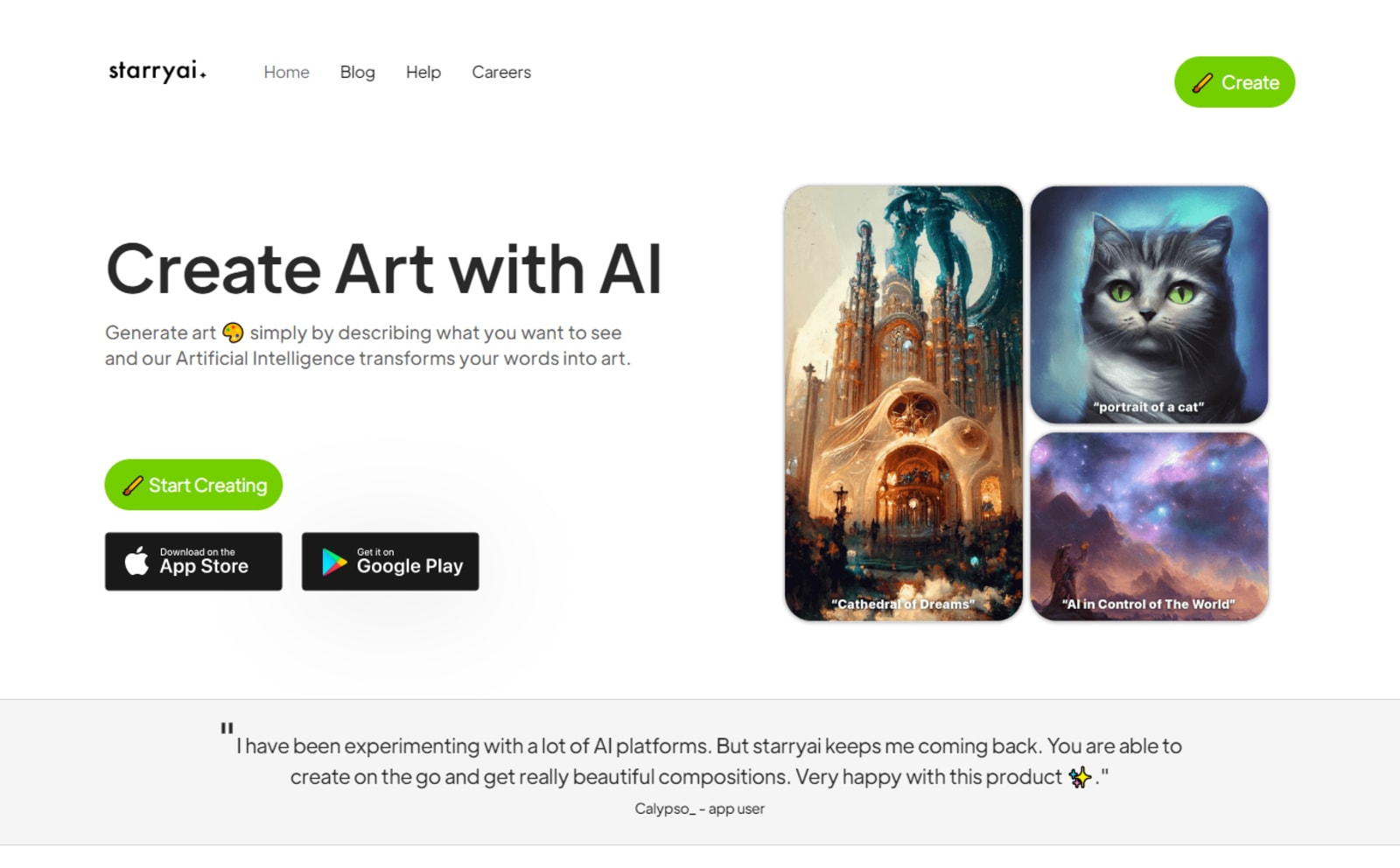
New AI tools roll up as the AI tech evolves. Enter Starryai - an artificial intelligence platform that creates art from text descriptions. It functions similarly to other AI tools that you may already be familiar with. But, is it worth using Starryai?
How Does Starryai Generate Artwork?
Starryai generates artwork based on the prompt input from the user. When you input the text-based prompt, it has to describe in full detail what the outcome of the artwork will be. There are two different AI models that Starryai uses. The first one is the Altair, which uses VQGAN-CLIP while the second AI model is the Orion using CLIP-Guided Diffusion.
Starryai's functionality has parallels with that of another AI tool, the Midjourney. The big difference, however, is you can generate artwork directly in the Starryai instead of going through a Discord channel, which is how Midjourney does for its users.
There are 5 available free credits daily with Starryai. This means you can generate at least 5 images. If you need more, you just have to wait for 24 hours until you can generate another artwork using the AI platform. Any output generated from Starryai is copyright-free, allowing users the freedom to do anything with the artwork, even for commercial purposes.
Like any prompt-instructed AI, Starryai can only produce an image depending on the content of your text description. It depends on the specific text you input to describe the outcome of the artwork.
Ran out of ideas? Another useful feature of Starryai is it also has a dropdown with suggested prompts. These prompts are similar to the text that you placed to describe the image to generate. This is a unique feature that Starryai includes in its AI tool, allowing users to have fresh graphics generated or suggest alternative descriptions.
First Prompt Test and the Resulting Artwork
In the first prompt test, we instructed Starryai to come up with a product packaging. The artwork has to include toucan and nature-inspired graphics. Another characteristic is it must include the product packaging name.
Prompt used: “Minimalist abstract flower clipart surrounding the toucan illustration with the word Bali Ha'i as the title.”

The first image provided a more exotic feel to the design artwork. For product packaging, the text is difficult to read. At the center is a toucan illustration, but we could see that the eye of the supposed toucan doesn't seem to have a proper definition.

The second artwork option provided a more minimalist design presentation. However, the foot of the toucan looked a bit distracting and tends to put the focus away from the entire illustration.

The third selection reduced the toucan and made the flower clipart a lot more visible. The requested text isn't readable enough.

The fourth artwork provided a balanced arrangement of elements. We can directly see the toucan illustration perched on the flower stem.
Although these are bad design outputs, they can already give you an idea of how to arrange the art elements. The artwork generated can be a baseline on where you will be placing the text and how to arrange the additional small details of the artwork.
Enhanced Second Prompt Modification
For the second prompt test, we modified the prompt input to come up with a more enhanced version of the image. This is to make the packaging artwork more realistic. We made the prompt to describe the image resembling actual packaging with the artwork.
Prompt used: “Enhanced version in minimalist abstract clipart toucan in a coffee bag packaging”

The first artwork made the toucan resemble a penguin, with a product name that's also difficult to decipher.

The second image had a better logo and product name arrangement, but the toucan illustration element seems to be unaligned in the resulting packaging.

The third option provided a badly disfigured toucan illustration. Although the text below it could make it an excellent logo and artwork placement.

The fourth packaging simulation had a better layout of the elements. All are neatly arranged, and it even includes a cup of coffee in the foreground.
Conceptualizing the image and finding the right words to feed to the AI prompt could be one of the things that one must improve on when using AI tools like Starryai. As a prompt-based AI tool, better text descriptions or additional prompts are needed to instruct the AI platform on what exact artwork it needs to generate.
Comparing It With the Designer’s Output
The final output that our designer created has similar design perspectives as the AI-generated artwork. The difference, however, is that the details of the artwork are more detailed. There are no fuzzy details down to the surrounding elements.

The result is a beautiful toucan illustration with a majestic pose behind a flower clipart in rich colors. A good choice of font to match the branding made the product name interesting to look at. A few text below can be indicated as a sample placeholder for any product details to add (like ingredients and quantity reference).
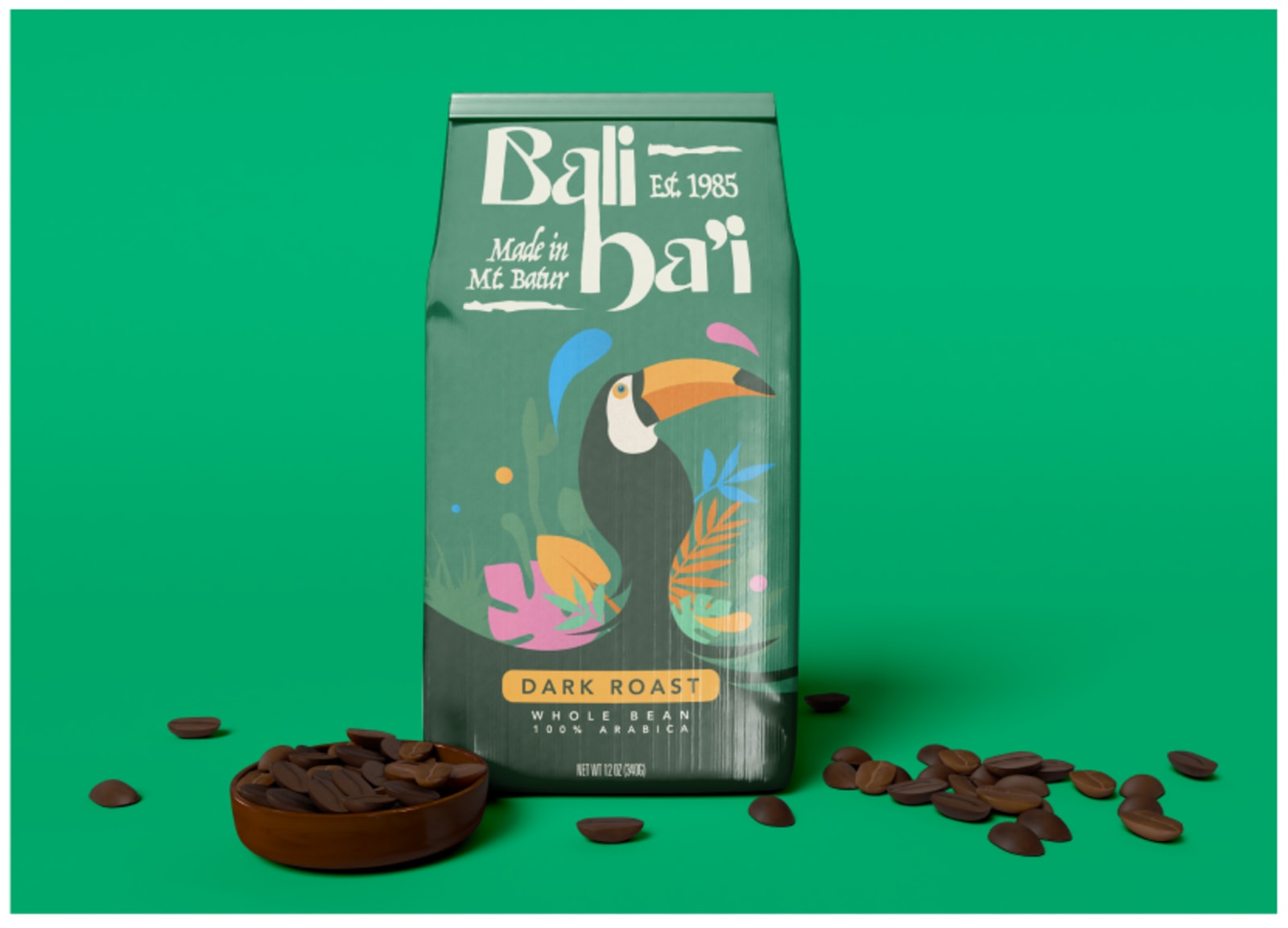
The graphic designer also created another version. This time, to simulate how the product artwork would look in actual packaging. There are no misplaced or unaligned elements, as a human designer can adjust every placement down to the minutiae details.
A designer's hand provides more control over the image. This can be difficult to interpret in a text-based prompt. An AI tool can process images that are already finished. Meanwhile, a designer can layer the elements, adding or modifying them as needed without having to create another entirely new artwork.
To Sum Up
Using Starryai can be good for artwork concepts. This is a good AI tool to generate possible artwork direction that a graphic designer can then follow and enhance. As for using the output generated via Starryai, it is still not a perfect image that can be used for commercial purposes. Despite it being a copyright-free image, the details can be fuzzy and incoherent at best. Maybe with a few more tweaks to the prompt, a finer artwork could be generated.
Producing better images relies only on the combination of prompts that you input into the AI tool. This is where the magic happens: relaying the right prompts so Starryai can also produce the intended artwork.
If you're looking for fresh design perspectives, Starryai can produce some good design references. You'll have better ideas on how to arrange artwork elements. However, the mockup produced via Starryai is difficult to modify. It will take more time for a designer to edit the artwork generated from the AI instead of building one from scratch - with more freedom to edit any design element.
The artwork you generate from this AI tool can be used as a reference for artwork ideas. If you're building an illustration for product packaging similar to our example, you may still need to work on improving your prompt descriptions. But then again, the resulting artwork may still need some fine-tuning to make it usable as a file that you can export for other purposes like printing.
AI tools like Starryai can already produce awesome artwork - but editing them in another software can be a difficult task, especially since you don't have the option to layer elements you can modify later on. That being said, this AI tool can produce vague artwork with indistinct elements - a huge discrepancy to having a graphic designer produce an intricate, well-thought-out artwork illustration.
Raffy is involved in SEO and digital marketing. He gravitates towards upcoming technologies, startups, and is an avid learner.











