For nine years, Trello has proven to be an affordable and effective project management tool used across teams globally. It offers three types of subscription - a free account, a business class, and an enterprise.
However, the already affordable fee is made even cheaper with the inclusive Trello nonprofit pricing discount. It provides an opportunity for nonprofit organizations to utilize the tool at a much lower price. The same discount is also offered to educational organizations.
With Trello nonprofit pricing, the fee becomes more affordable for eligible institutions assessed by its customer support. An eligible application can enjoy a whopping 75% discount on Trello business class and enterprise. As such, they can enjoy the same features and benefits of a business class and enterprise such as but not limited to having unlimited boards and 250MB per file attachment.

Trello as a Project Management Tool
Trello aims to make collaborations fun, flexible, and rewarding. Planning for a vacation, wedding, birthday party, or a company event? Trello is very flexible and lets you customize how you organize workflows, whether for personal or business needs. As an online app, it enables teams to collaborate anywhere, anytime.
The app uses the Kanban method of organizing and prioritizing projects. Think of it as using sticky notes in organizing a company event. As a start, you can have three columns labeled as 'Not yet Started,' 'In-process,' and 'Done.' Trello refers to these columns as "lists." After assigning members to each task (you can write their names on the sticky note), all the tasks will be placed first at the 'Not yet Started' column. Team members will move these tasks according to their actual progress until completion.
Kanban is a lean method of organizing and managing projects. An essential part of the Agile framework, Kanban is universally adopted by varying types of teams. Trello imported this type of framework with a highly interactive user interface. It breaks down work into simple tasks and immediately indicates progress. Bottlenecks are easily spotted, which could greatly help in catching-up delayed project schedules.
Trello limits the number of tasks a user can work on at once. In this case, teams won't take too much work and time for each of the tasks.
Trello reaps the pros of using Kanban by having a dashboard on a high-level perspective. It readily shows the accountability of the team members as they perform the tasks. Members taking too long on a specific task can also be given immediate support.
Trello Nonprofit Pricing
Recently acquired by Atlassian in 2017, Trello qualifies charitable nonprofit organizations for a whopping 75% off on paid plans. The Atlassian Community License Request can be applied in simple steps as enumerated in this article.
Aside from its effective project management Kanban method, Trello has competitive pricing that is relatively cheap. Trello pricing ranges from zero to $17.50. It offers a free account, a business class that can be paid monthly and annually, and an enterprise subscription with fees that varies depending on the number of users. A single enterprise may have 20 up to 500 users.
Trello also recognizes other institutions that may not afford the paid features of the online service. With Trello nonprofit pricing, institutions such as non-government organizations, non-academic groups, non-commercial or business in nature, without religious affiliation and could not afford the software are allowed to enjoy the product's features as a business class or enterprise.
Instead of spending on an app, money can be saved and used for more projects or programs that nonprofit entities organize. Especially that they need more funding for the charitable works, a huge discount through Trello nonprofit pricing rewards their causes.
The Atlassian software is encompassing as it offers discounts both for nonprofit and educational institutions. For this article, we will guide you on how to apply for the discount on Trello nonprofit pricing.
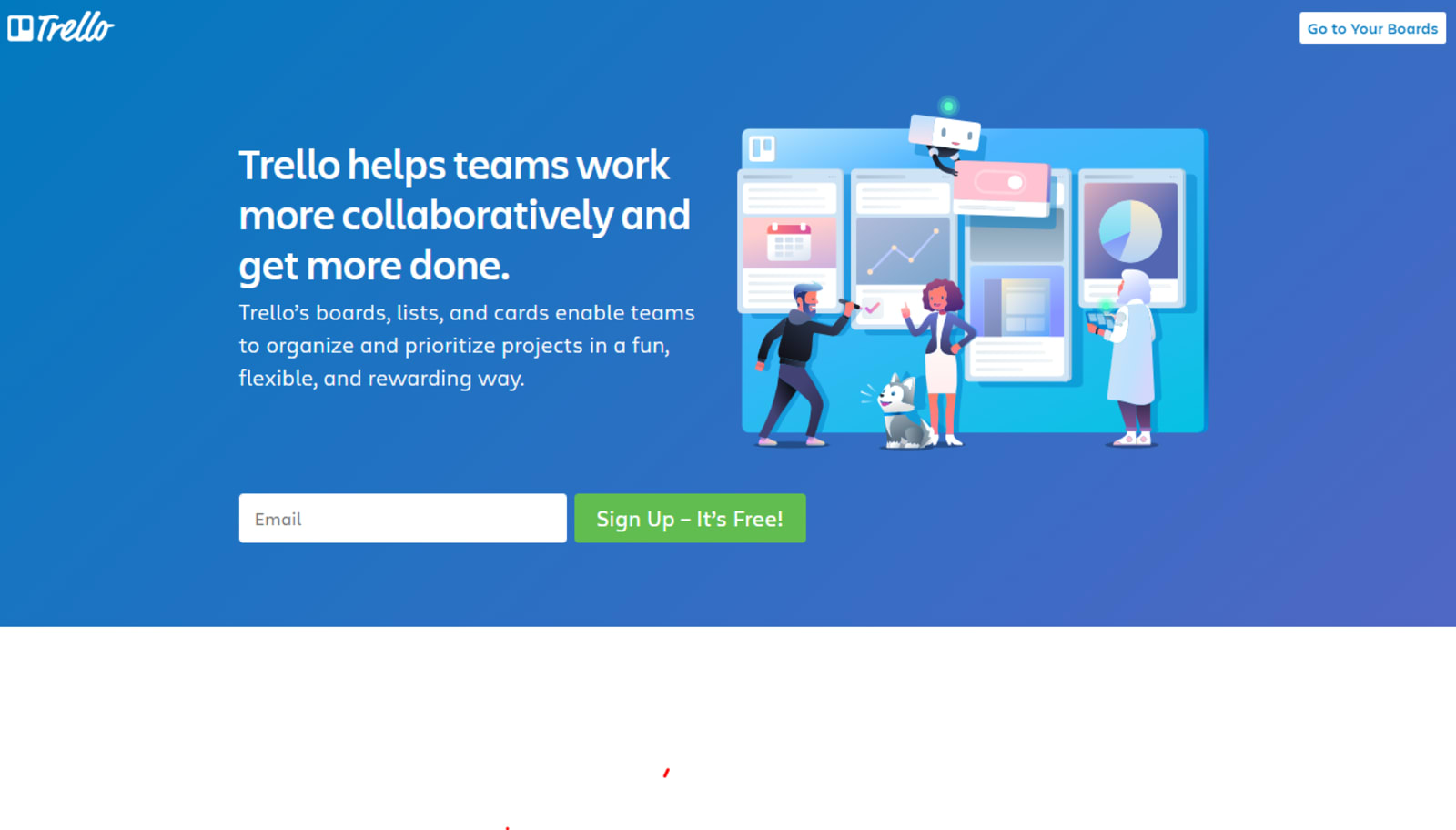
Step 1: Go to the Trello website and scroll to the bottom of the landing page.
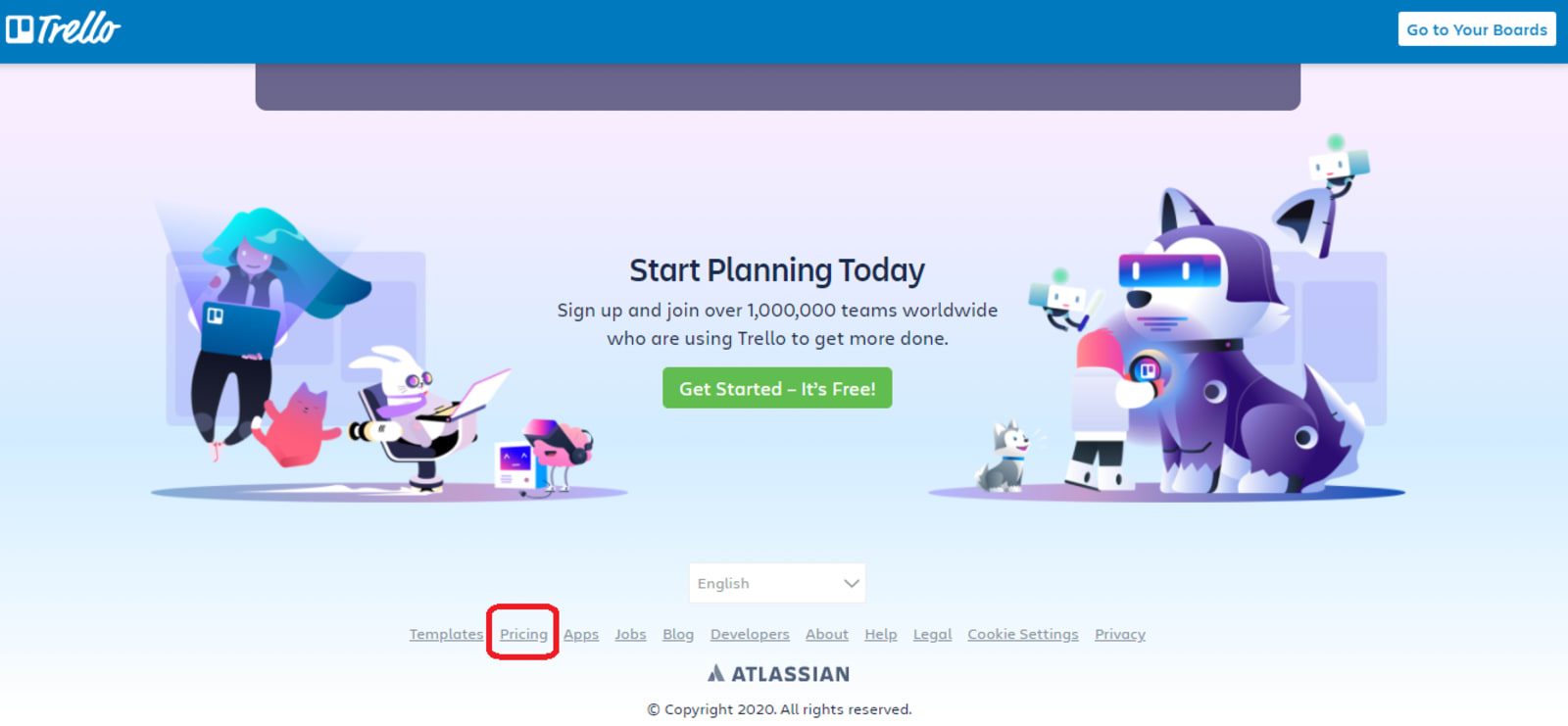
Step 2: Click Pricing to check the options offered.
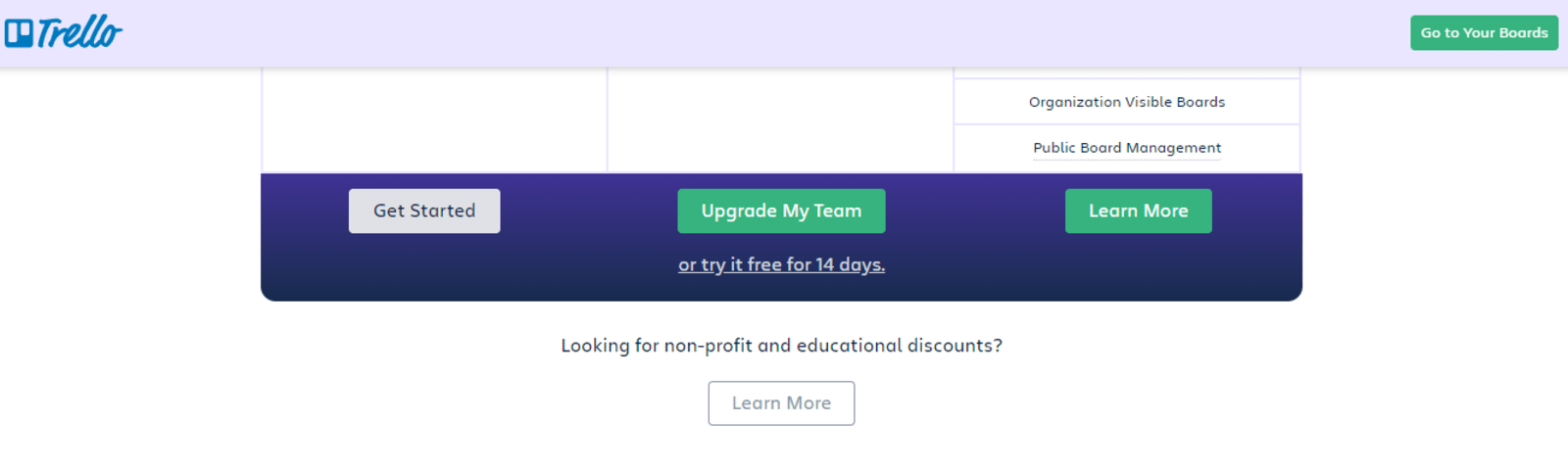
Step 3: Below the table of regular pricing, you will be asked if you're looking for nonprofit and educational discounts. Click Learn More to check on the discounts.
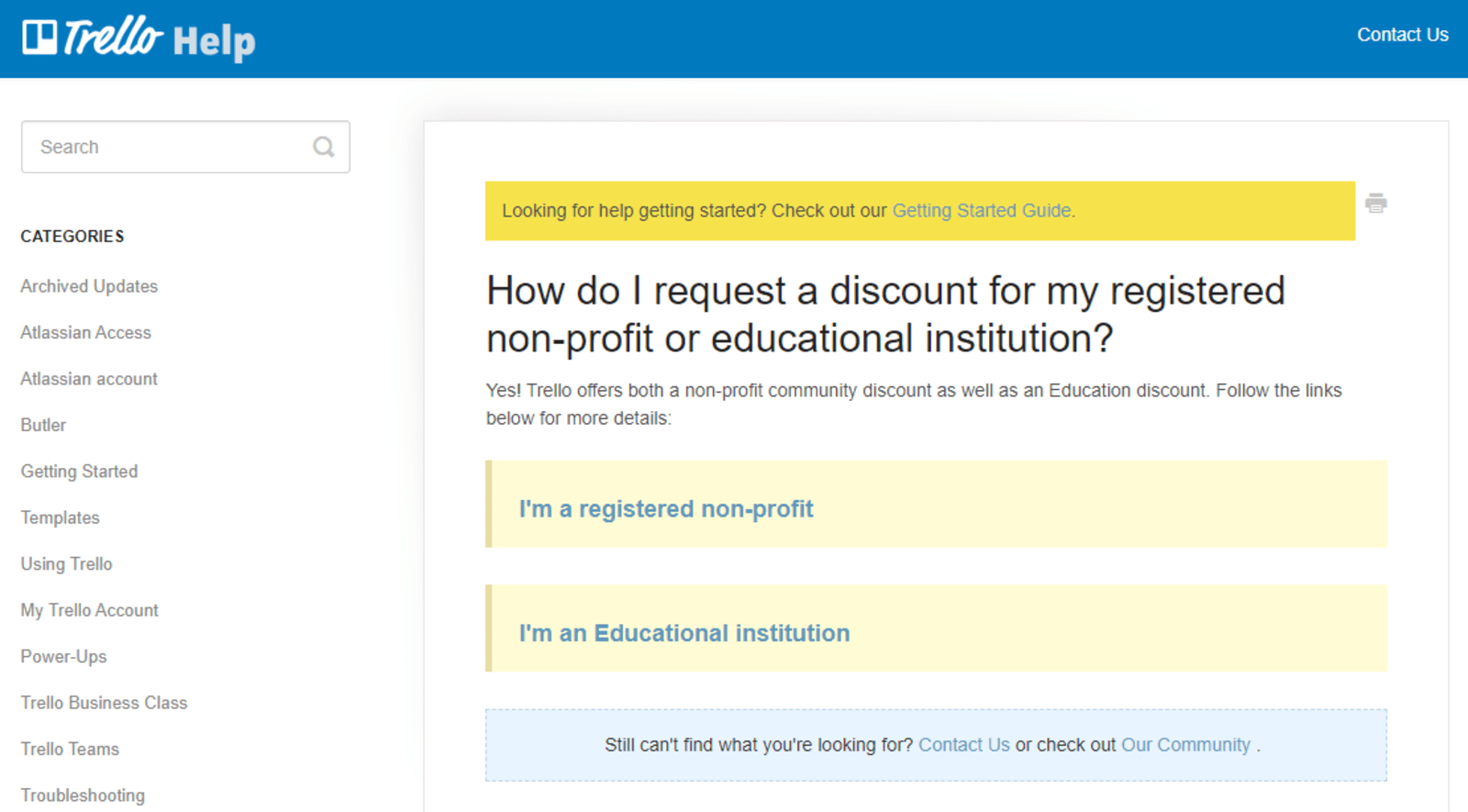
Step 4: Select 'I'm a registered nonprofit' to be directed to the next web page where the evaluation requirements are listed.
Step 5: Self-check. Atlassian Community Licenses listed primary qualifications for the grant of Trello nonprofit pricing discount. Self-evaluate if your organization meets the desired qualifications. An eligible application gets a staggering 75% discount on Trello business class and enterprise, all while enjoying the same perks!
Atlassian Community Licenses are designed for registered nonprofit charitable organizations and charities that are non-government, non-academic, non-commercial in nature, have no religious affiliation, and would not otherwise be able to afford Atlassian software. If your organization does not really fit into this description, we suggest you purchase one of our commercial licenses – they are still highly affordable.
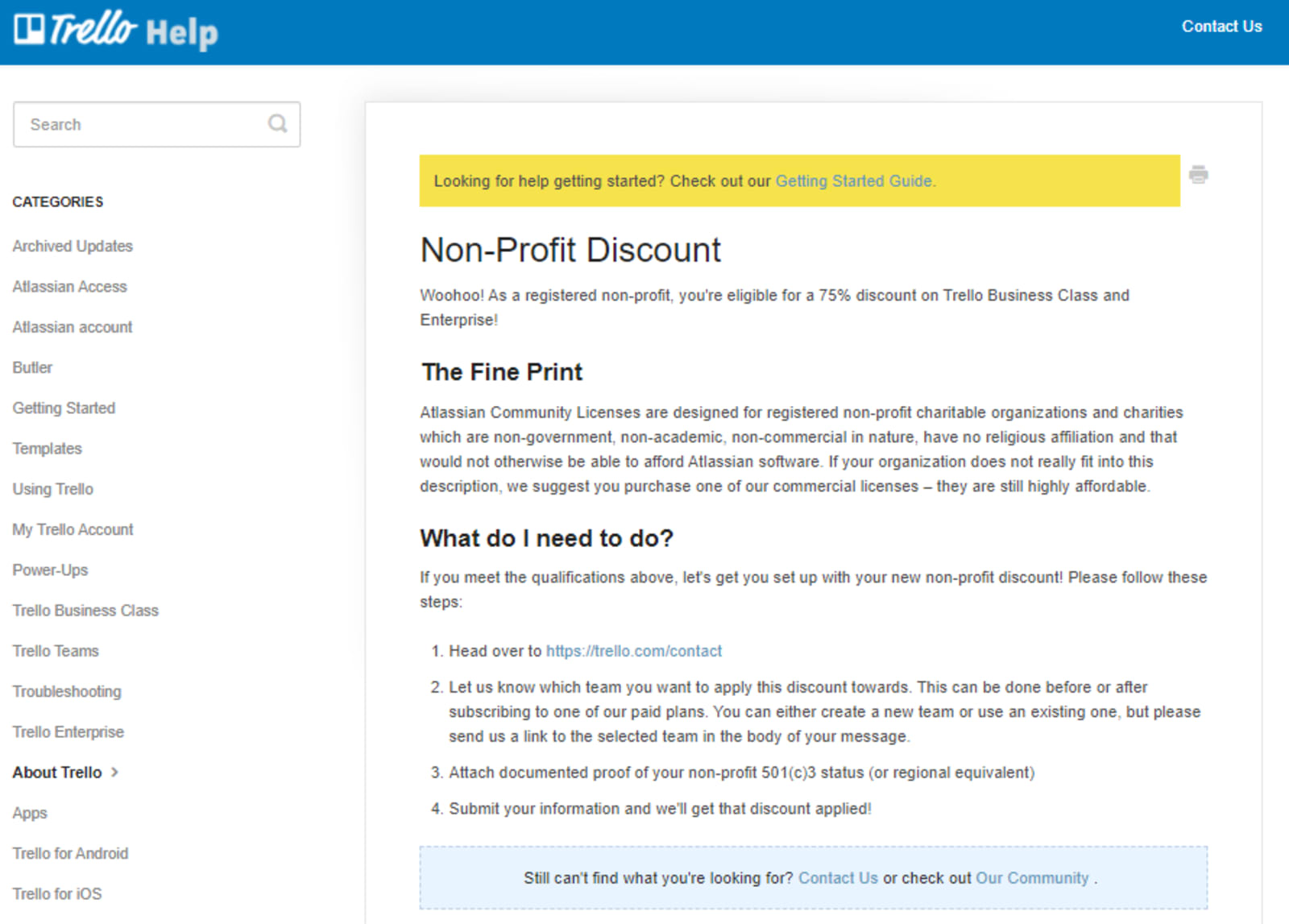
Step 6: Set-up the nonprofit discount through the following sub-steps.
1.Contact Trello Customer Support.
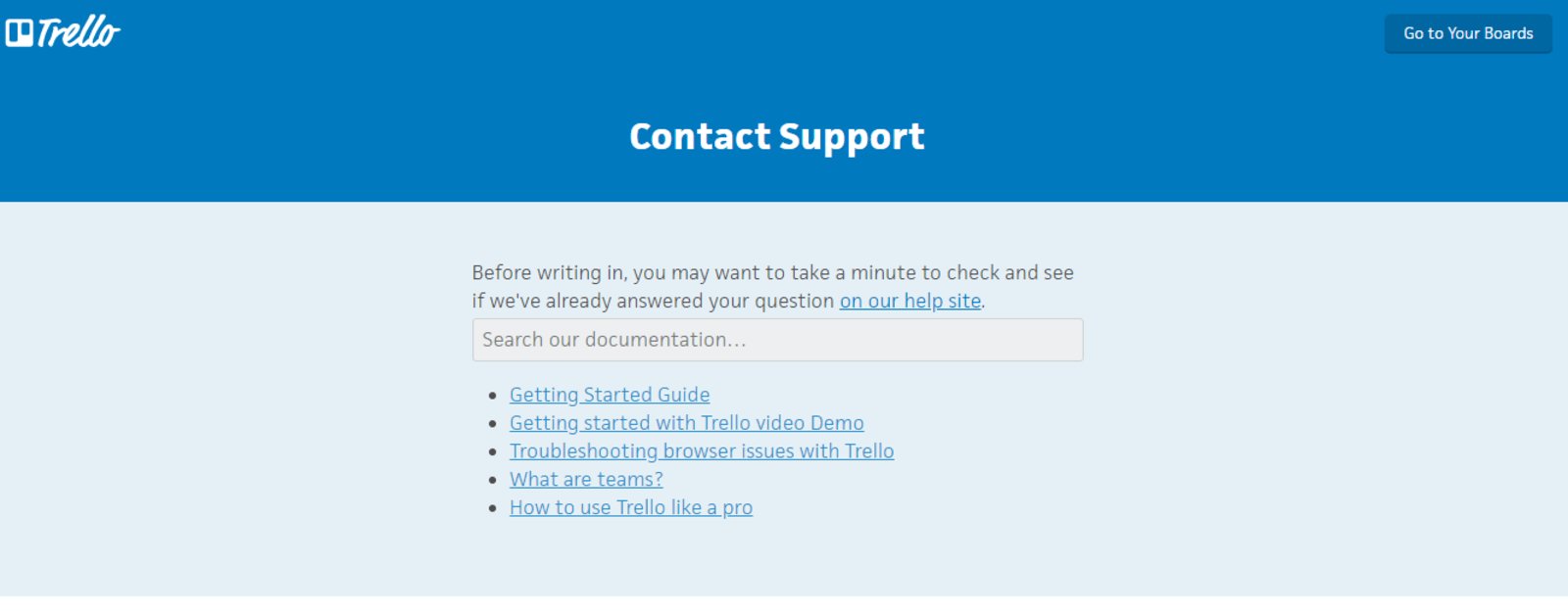
2. Go over to the bottom of the webpage and select "Ask Trello Support" to pop up the dialogue box.
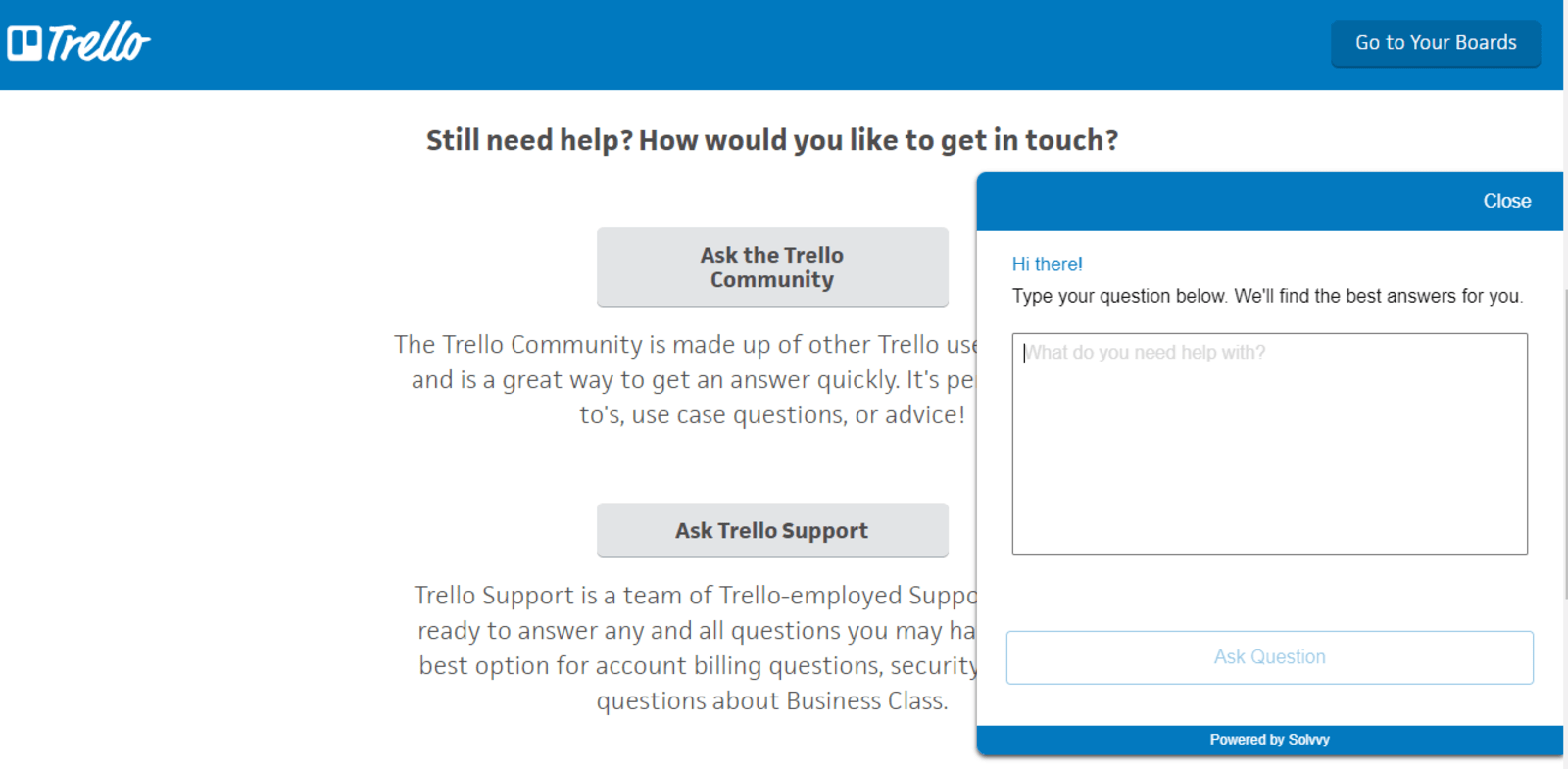
3. If you have yet to subscribe to the app, you can choose Using Trello in the drop-down list. For users already subscribed to Business Plan or Enterprise Plan, you may choose Sales in the drop-down list. Fill-up the boxes with necessary information as concise and accurate as possible.
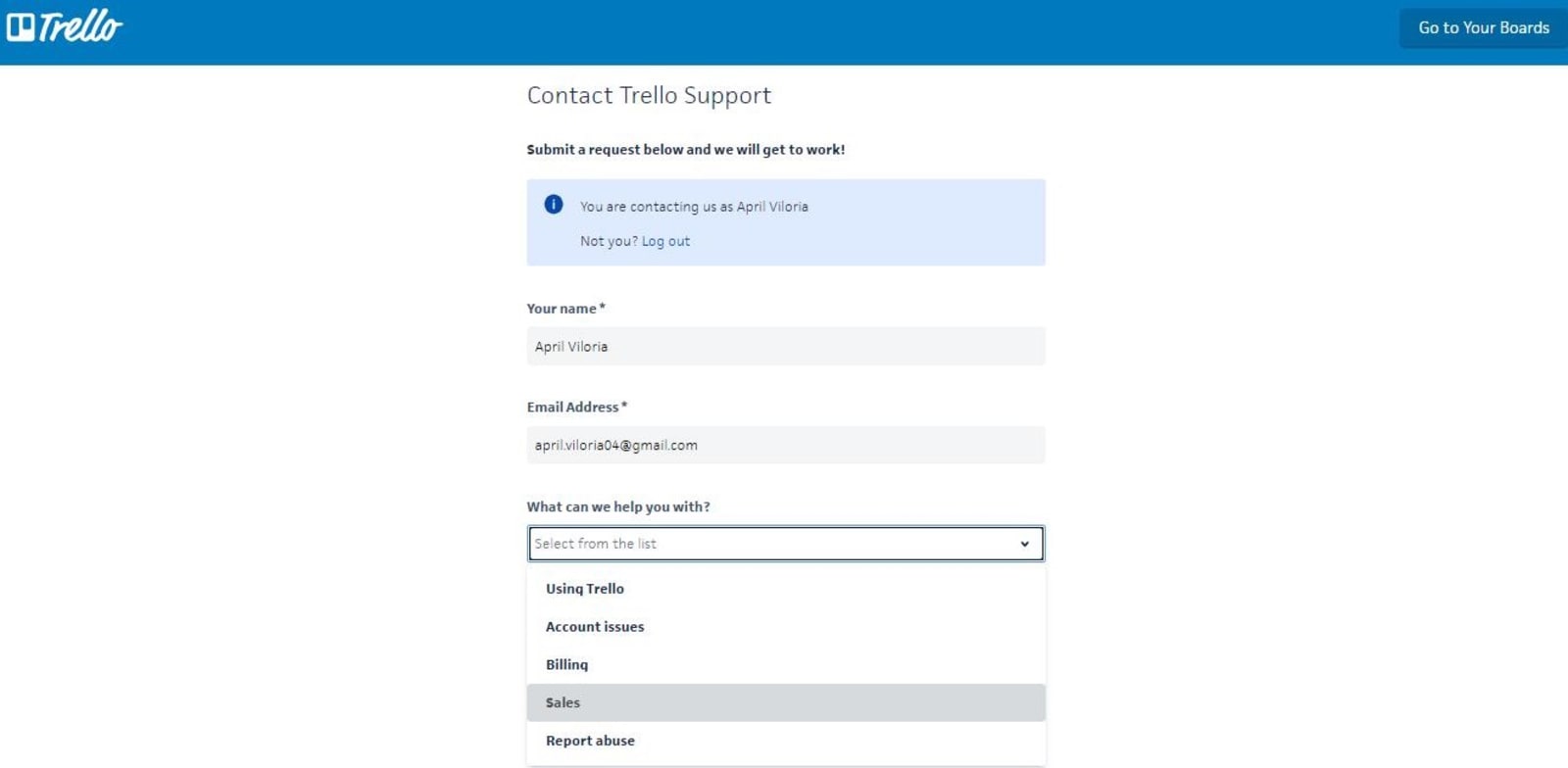
4. Inform the customer support on which team the discount would be applied. An application can be made before or after signing up for one of the paid plans – business class or enterprise. Either a newly created or an existing team can be used. Send the link of the team in the body of the application message.
5. Attach documented proof of nonprofit such as 501(c)3 status or a regional equivalent.
6. Provide nonprofit information and write it also in the message body.
If the Customer Support dialogue box did not prompt up in any case, you may email them directly at support@trello.com.
Benefits of an Approved Trello Nonprofit Pricing Discount
Once your application is approved, you can enjoy the same perks as your subscribed paid plan. Both business class and enterprise plans enjoy unlimited boards and can attach files as large as 250MB. Power-ups are also unlimited, with custom fields, list limits, card repeater, calendar view, a map view, voting, and 100+ App integrations.
Admin and Security features such as advanced admin permissions, domain-restricted invites, and deactivation of members are also features missing on free subscriptions but offered to paid plans.
Advanced admin permissions feature allows setting of team-level permission and restriction of boards and invitations to members. Users who can be added to the Trello teams can be restricted by email domain or individual address through the domain-restricted invites feature. Further, accounts of employees who leave the company can be deactivated without removing their previous output or history.
These features are perfect for nonprofit organizations with large teams to avoid possible conflicts on the tasks and better manage projects and programs.
Trello is beneficial to nonprofit organizations since it eases the dreadful work of organizing massive team members and monitoring task completion. In this way, nonprofits have more time to implement their causes. Its interactive user interface also connects teams even when working remotely.
Trello nonprofit pricing discount provides an affordable option for the organizations to enjoy the exciting and powerful features of a business class or enterprise account.
However, other businesses not eligible for the application can still enjoy these subscription plans' benefits with its affordable rates. Delesign, a flat rate unlimited graphic design service, utilizes the tool for project management.

Maria is a Content Writer with keen interest in eCommerce and Internet Marketing. She is a Communications graduate and understands what it takes to write persuasive copy and blog posts. Outside of work, you can find her mini-blogging about her life on social media.











